|
ClassicConnect
"640k ought to be enough for everybody."
|
| View previous topic :: View next topic |
| Author |
Message |
parasquared
WebTV

Joined: 15 Dec 2025
Posts: 53
Location: Portland, OR
|
 Posted: Mon Feb 02, 2026 6:11 pm Post subject: installing and using IBM WebBoy Posted: Mon Feb 02, 2026 6:11 pm Post subject: installing and using IBM WebBoy |
 |
|
IBM WebBoy for DOS is.. interesting. it's an entirely DOS based browser and e-mail client for Japanese DOS systems, seemingly designed specially for the Palmtop PC 110 (although will run on standard PCs of course). i found it while scrolling on archive.org, and immediately knew i had to try it. getting it actually set up kind of SUCKED, though. a combination of the language barrier as well as using a minimal copy of Microsoft LAN Manager in the backend(?????) which i haven't used myself made it difficult to actually get it functioning initially.
screenshots (or screenies if you fancy):
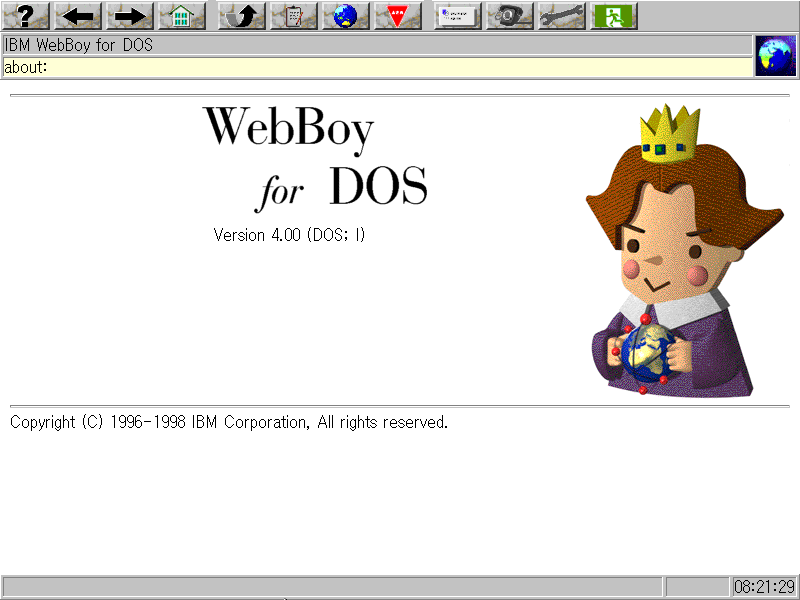
screenshot of the built-in about page for WebBoy 4.0

screenshot of lesliefield.com (ironically this site made the entire machine lock up after trying to enter)
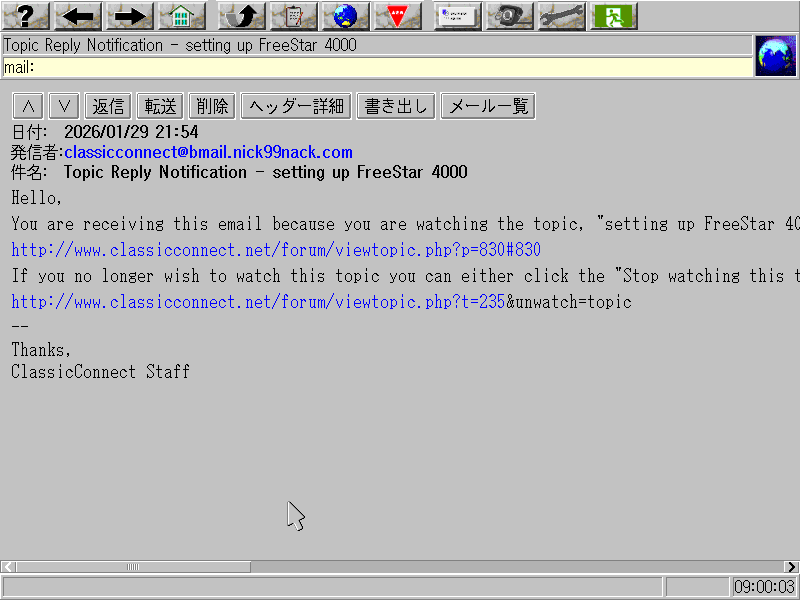
screenshot of a ClassicConnect reply notification email
setup instructions:
- install DOS/V (it doesn't work at all with a regular copy of DOS from what i can tell)
- insert the first disk and run `install C:\webboy` (or replace that with where you want to install it to)
- the installer asks fairly simple stuff. here's a basic rundown:
- webboy 4.0 has a "feature selection", basically for whether or not you want printing and JavaScript support (which takes up more ram). select the top one unless you need to use less RAM
- screen res; pretty self expanatory
- network connectivity method (LAN or dial-up)
- connectivity settings; doesn't seem to support any kind of auto configuration? (even though DHCP is mentioned in protocol.ini and PPP literally has auto configuration in the protocol)
- it'll ask for a "dictionary file". not sure where this is, but you can skip it without any real consequences
- it'll say something about "12-dot and 24-dot" fonts not being enabled (at least on my setup); no idea how to enable these but they're also optional (if someone knows, chime in perhaps?)
if you need to reconfigure the settings you set after install, you can run `int15ext`then `wbconfig`
dialup via PPP should just work once setup is complete (i was not able to test this myself though. for some reason using the modem in my Toshiba laptop with VMware's serial passthrough causes the modem to behave strangely and never finish the handshake, and 86Box's modem emulation doesn't emulate PPP, which this requires)
for LAN, you'll need to provide an NDIS / Microsoft LAN Manager driver. the program comes with zero drivers of any kind (other than i guess for modems, but that's not a LAN so lol)
- try running LAN Manager 2.2c and see if it has your network card, if not find one on the internet somewhere (is there a shim for packet drivers somewhere? that would be nice since those are easy to find and would be a lot more setup-agnostic)
- in the case of the NE2000, that is included on the LAN Manager disks. install LAN Manager, copy the NE2000.DOS file from `\LANMAN.DOS\DRIVERS\ETHERNET\NE2000` (they are compressed on the install disks, hence why you have to install it) into `[webboy install dir]\NTSDOS` and edit the protocol.ini file inside of it; something like this:
| Code: | [NE2000_NIF]
IOBASE = 0x300
INTERRUPT = 3
DRIVERNAME = MS2000$
|
(there should be a protocol.ini file next to the driver that shows you what you need to add; drivers obtained off the internet likely have documentation on how to get it going although they might expect you to use the full LAN Manager to install it as well)
- make sure you load the driver via config.sys too, i.e `DEVICE=C:\WEBBOY\NTSDOS\NE2000.dos` in my setup
as for actually using it, it's about on par with.. maybe netscape 3? although it does have some quirks (i.e it doesn't render basically any styling tags, so things like headers and emphasized text don't look any different)
attempting my typical "old browser torture test" (which consists of hitting random page on wiby.me over and over) showed some semi-major issues; mainly:
- the random page will always return the same page until you refresh it manually
- https isn't even recognized as a valid protocol, so it tries to append it to the end of the current url as if it was a relative page link (i.e http://wiby.org/surprise/https://www.vgmuseum.com)
- if the site itself redirects to https, it also gets confused and keeps appending the link to the end over and over
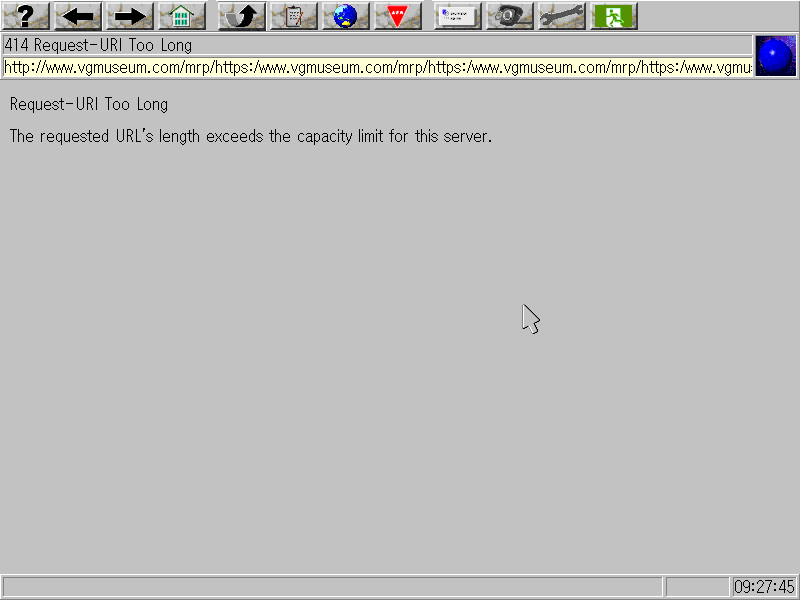
(why are there even https-only sites on a search engine that's supposed to be for "the old web" anyways?)
- it loves vomiting JavaScript all over the screen if the site has any and it doesn't know how to handle it (turning it off entirely seems to fix it though)
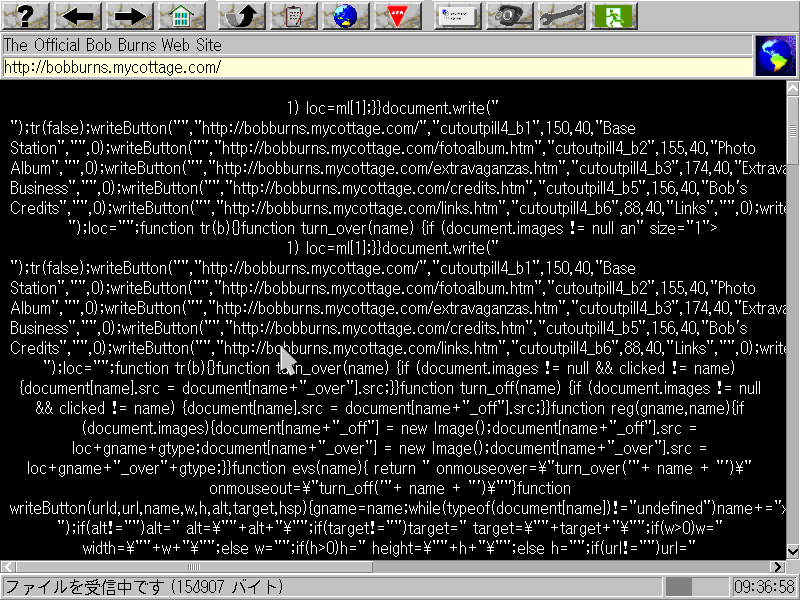
"my boy;; he has the sickly" - me after first discovering this bug
- supposedly you can use a proxy, but every time i've tried it just breaks the browser entirely until i restart the machine
- not really an "issue" but it took me an embarrassingly long time to figure this out: you have to manually save all your settings. click the last option under the wrench to do so
overall, it's really neat, and honestly i think it might actually be better than Arachne (for example scrolling the page doesn't redraw the entire screen), if a bit more unstable. if only it worked on non-DOS/V systems, i would totally use it on DOS VMs and the like
oh and, if you wanna try it yourself, here's the link!
_________________
- parasquared
"In space there is no center, we're always off to the side"
- Ballad of Reverend War Character, Silver Jews |
|
| Back to top |
|
 |
xX_D4rkW1ng_Xx
Member

Joined: 22 Mar 2026
Posts: 35
Location: Somewhere in Europe. IMs are on Crosstalk.
|
| Posted: Fri May 08, 2026 4:37 pm Post subject: Re: installing and using IBM WebBoy |
|
|
| parasquared wrote: | | (ironically this site made the entire machine lock up after trying to enter) |
The hydroplanes made the dude's brain turn into the BSOD of pre-windows 95 versions trying to run when using an incorrect MSDOS version 
_________________
Why can't the internet be colorfull again?

 |
|
| Back to top |
|
|
VCSMaster
Member

Joined: 25 May 2025
Age: 25
Posts: 196
Location: Southeastern USA
|
| Posted: Fri May 08, 2026 11:09 pm Post subject: |
|
|
"Setting up IBM software sucks"
This does not surprise me in the last. At least their little mascot guy is cute.
What does this return for it's compatibility string? |
|
| Back to top |
|
|
europa
Gorts

Joined: 16 Aug 2025
Age: 24
Posts: 98
Location: 8:0:20:c0:ff:ee
|
| Posted: Sat May 09, 2026 12:35 am Post subject: |
|
|
| VCSMaster wrote: | "Setting up IBM software sucks"
This does not surprise me in the last. |
laughs in AIX despair
_________________
Your System ate a SPARC! Gah! |
|
| Back to top |
|
|
parasquared
WebTV
Joined: 15 Dec 2025
Posts: 53
Location: Portland, OR
|
| Posted: Mon May 11, 2026 4:54 pm Post subject: |
|
|
| VCSMaster wrote: | "Setting up IBM software sucks"
This does not surprise me in the last. At least their little mascot guy is cute.
What does this return for it's compatibility string? |
yeah i guess i can't really be surprised either
as for the useragent, well... i just tried to boot the VM up and it seems to have broken itself. (it seems to be unable to contact DNS for whatever reason.) i might bash a hammer at it at some point to get it working again, but idk
_________________
- parasquared
"In space there is no center, we're always off to the side"
- Ballad of Reverend War Character, Silver Jews |
|
| Back to top |
|
|
VCSMaster
Member
Joined: 25 May 2025
Age: 25
Posts: 196
Location: Southeastern USA
|
| Posted: Tue May 12, 2026 11:40 pm Post subject: |
|
|
| parasquared wrote: |
as for the useragent, well... i just tried to boot the VM up and it seems to have broken itself. (it seems to be unable to contact DNS for whatever reason.) i might bash a hammer at it at some point to get it working again, but idk |
Sadly, this does not surprise me very much either.
If you get it going, I would be interested to know what it returns. I "collect" those strings mentally |
|
| Back to top |
|
|
|
|
You cannot post new topics in this forum
You cannot reply to topics in this forum
You cannot edit your posts in this forum
You cannot delete your posts in this forum
You cannot vote in polls in this forum
|
smartDark Style by Smartor
Powered by phpBB 2.0.25 CC Mod © 2001, 2002 phpBB Group
|